
Visualizer
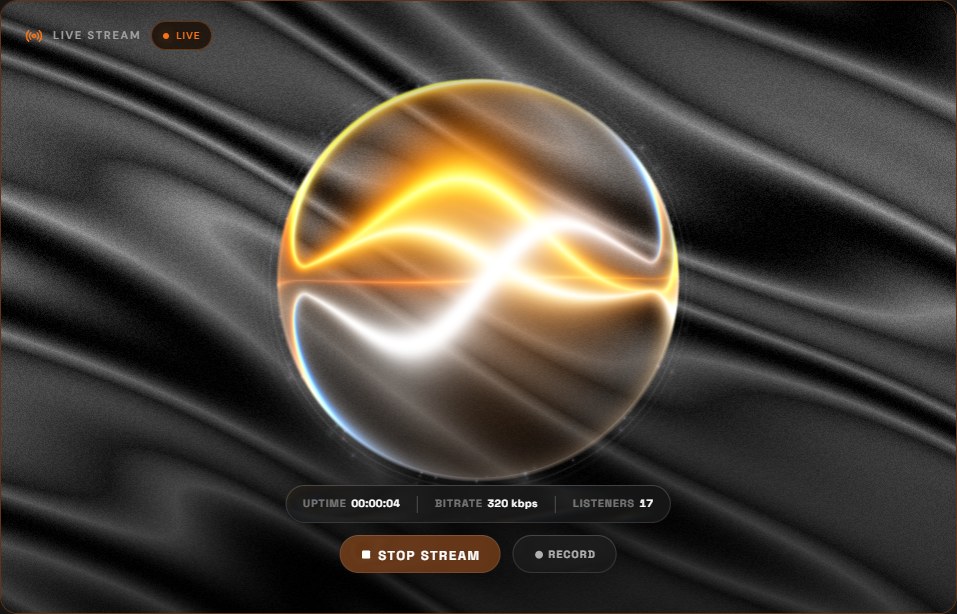
The picture in the Live panel, moving with what is going out.
MAWCast Studio is not released yet. This page describes how it will work; until then, connect your own encoder (see Connect your software).
The Live panel on the Studio tab gives the broadcast a picture. For a MAWCast station it draws the visualizer you set up for that station in Control (Web Player): the same backdrop and player, in the same colours. For an Icecast or SHOUTcast server you added yourself, or a station with no visualizer set, it is Studio's own: the sphere on the dark Silk backdrop.
It reads the audio
It responds to intensity, to frequency content and to kicks — it is driven by the signal, not by a loop playing next to it, and it reads that signal the way the web player reads your station. It moves whenever Studio is capturing, on air or not: if it is still, the audio is.
A visualizer that stops moving while the top bar still says LIVE is the fastest way to notice that your source has gone quiet.
Around it
Uptime, bitrate and listeners sit above GO LIVE and RECORD, in the same glass as the buttons on your station's public page, so the picture keeps the middle of the panel.
With Windows set to reduce motion, the backdrops and the turntable stand still. While Studio is minimised the picture pauses; the broadcast does not.
Still need help? Write to contact@mawcast.com.